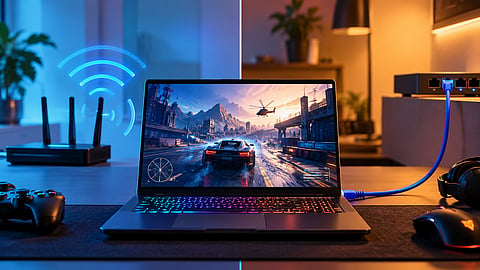

A wireless connection offers flexibility, while Ethernet provides a more stable link for competitive play.
Photo Credit: AI-Generated

Ethernet generally offers more consistent latency, making it a good choice for competitive gaming and stationary setups.
Wi-Fi 6 provides flexibility for portable gaming and can perform well with a strong signal and limited interference.
Check for local network lag before buying an Ethernet adapter or a new router, as not all gaming latency comes from Wi-Fi.
Wi-Fi 6 is fast enough for most online games, but Ethernet generally provides a more consistent connection. The difference is not just download speed. Latency, jitter and packet loss can affect how responsive a game feels, particularly in competitive multiplayer titles.
I would choose Ethernet for a gaming laptop that stays on a desk. Wi-Fi 6 makes more sense when portability matters, especially if the laptop is close to the router and the wireless network is not congested.
Most gaming laptops already support Wi-Fi, while Ethernet requires a LAN port or a USB adapter if the laptop does not have one. The decision comes down to connection stability, convenience and how you use the laptop, rather than headline speed figures alone.
Ethernet connects the laptop to the router through a physical cable. Wi-Fi 6, also known as 802.11ax, transmits data wirelessly and can be affected by distance, walls, interference and congestion from other devices.
A GeForce NOW user on Reddit described experiencing more jitter and additional ping when using powerline networking. After switching to a direct Ethernet connection, they reported a noticeable improvement in cloud gaming, including fewer streaming interruptions. The user wrote that a direct cable connection was "more stable and less prone to jitter".

Photo Credit: Reddit
For cloud gaming, connection stability matters alongside average latency. Jitter and inconsistent data delivery can cause stuttering or interruptions, even when ping looks reasonable. Ethernet removes wireless interference between the laptop and router, but it cannot eliminate every source of lag.
A user on r/HomeNetworking was still getting lag spikes of up to 100ms in Rainbow Six Siege after connecting their gaming PC to a mesh node through Ethernet. They said latency and speed were about the same on Wi-Fi, despite getting around 16ms of latency.
The PC was connected to a second Deco mesh unit, which linked back to the main network. A wired connection to that mesh node did not guarantee a stable connection all the way to the game server. The user wondered whether the Ethernet cable running near a hot pipe was responsible, but the discussion does not establish the cause of the spikes. The example shows that Ethernet can remove wireless interference from one part of the connection without fixing problems elsewhere.
Ethernet is generally the better choice when consistent latency matters. A wired connection removes wireless interference between the laptop and router, reducing one potential source of jitter and connection instability.
I would use Ethernet for competitive shooters, fighting games and cloud gaming on a stationary setup. These games can be sensitive to sudden changes in latency, even when average ping looks acceptable.
If the gaming laptop has an Ethernet port, connecting it directly to the router is the simplest option. If it does not, a USB-C or USB-A Ethernet adapter can provide a wired connection, provided it is compatible with the laptop.
Ethernet is also convenient when the laptop is already connected to an external monitor and charger. The cable adds another lead to the desk, but it can make the connection more predictable during long gaming sessions.
That said, Ethernet does not automatically mean lower ping in every situation. The difference depends on the quality of the wireless connection, the router, network congestion and the route to the game server.
Wi-Fi 6 is a reasonable choice for casual multiplayer games, single-player titles that require an internet connection and gaming on a laptop that moves between rooms. A strong signal and a relatively uncongested network can deliver a smooth experience without the need for a cable.
The experience described in the r/GeForceNOW discussion illustrates why some users notice little difference between Wi-Fi and Ethernet. If the wireless connection already has low, stable latency, switching to a cable may not produce a noticeable improvement in every game.
Wi-Fi 6 can operate on both 2.4GHz and 5GHz, depending on the router and client device. The 5GHz band is often preferable for gaming because it can offer more bandwidth and less congestion than 2.4GHz, particularly when the laptop is close to the router. However, 5GHz signals generally have less range and penetrate walls less effectively.
A laptop in a hostel, shared apartment or cafe may also have to rely on the available wireless network. In those situations, Ethernet may not be practical or accessible. A strong Wi-Fi connection is usually the more convenient option.
Before buying a new router or Ethernet adapter, check whether the problem comes from your local network or the connection to the game server.
Start by checking latency to your router. On Windows, you can find the router's gateway address using ipconfig in Command Prompt, then run ping followed by that address. Repeat the test while connected to Wi-Fi and Ethernet, if both options are available.
Look for sudden spikes or timeouts rather than focusing only on the average response time. A stable local connection suggests that the laptop-to-router link is working consistently, although it does not rule out every local network issue.
Next, check the game's server latency and whether other devices are using significant bandwidth. Large downloads, cloud backups and heavy uploads can contribute to congestion and latency spikes. If ping to the router remains stable but the game server shows high latency, the issue may lie beyond your local wireless connection.
If the problem occurs only on Wi-Fi, try moving closer to the router, using the 5GHz band where available and reducing interference. If the issue persists, test Ethernet before spending money on a new router.
An Ethernet adapter is worth considering if your gaming laptop lacks a LAN port and you play regularly from the same desk. A compatible USB-C or USB-A adapter lets you connect to a wired network without replacing the laptop.
Before buying one, check which USB ports your laptop has and whether the adapter supports the network speed you need. Gigabit Ethernet is sufficient for most home gaming connections, and a faster adapter will not automatically reduce latency if your internet connection or router is the limiting factor.
A mesh Wi-Fi system can be another option if the router is far from the gaming setup. Some systems support Ethernet backhaul, which connects mesh nodes to the main router through a cable. This can improve the network path, although a wireless backhaul between nodes can still introduce wireless-related limitations.
I would not buy a new Wi-Fi 6 router just to improve gaming if the existing network already delivers low, stable latency. Test the current connection first. A direct Ethernet cable is often the more straightforward upgrade for a stationary setup.
My Take: I would choose Ethernet if I played competitive multiplayer games from a fixed desk and could connect the laptop directly to the router. It reduces wireless interference as a variable and generally offers more consistent latency.
Wi-Fi 6 is a sensible choice if I needed to move the laptop around, played less latency-sensitive games or already had a strong wireless signal with no noticeable connection problems. There is little reason to add a cable if the current connection is already stable.
The key is to identify the source of the lag before spending money. If Wi-Fi is causing latency spikes, Ethernet is worth testing. If the problem comes from the game server, internet provider or network congestion, changing the laptop's connection alone may not solve it.
Is Ethernet better than Wi-Fi 6 for gaming?
Yes, Ethernet is generally better for gaming when connection stability and consistent latency matter. It reduces wireless interference between the laptop and router, making it a good choice for competitive shooters, fighting games and other latency-sensitive titles. However, it cannot fix lag caused by a distant game server or internet congestion.
Is Wi-Fi 6 good enough for online gaming?
Yes, Wi-Fi 6 is good enough for most online games when the laptop has a strong signal and the wireless network is not congested. It offers the flexibility to game without a cable. Competitive players may still prefer Ethernet for a more consistent connection.
Does Ethernet reduce ping in games?
Ethernet can reduce ping if the wireless connection between your laptop and router is adding latency. It can also help reduce jitter and connection spikes caused by wireless interference. However, switching to Ethernet may not improve ping if the main problem is the internet provider or game server.
Should I use 5GHz Wi-Fi or Ethernet for gaming?
Ethernet is generally the better option for a stationary gaming setup where consistent latency matters. A 5GHz Wi-Fi connection is a practical alternative when the laptop is close to the router and the signal is strong. Although 5GHz can offer less congestion than 2.4GHz, its performance depends on distance, walls and nearby networks.
Do gaming laptops need an Ethernet port?
No, gaming laptops do not need an Ethernet port to play online games. Wi-Fi is sufficient for many gaming setups. If your laptop lacks a LAN port and you want a wired connection, you can use a compatible USB-C or USB-A Ethernet adapter.
Will an Ethernet cable fix lag in online games?
An Ethernet cable can help if lag is caused by wireless interference or an unstable Wi-Fi connection. It will not necessarily fix lag caused by server distance, internet congestion or routing problems. Check latency to your router and the game server before buying new networking equipment.
Is Wi-Fi 6 faster than Ethernet for gaming?
Not necessarily. Wi-Fi 6 can deliver high wireless speeds, but actual performance depends on signal strength, interference and router capabilities. Ethernet speed depends on the cable, network ports and equipment. For gaming, stable latency and low jitter are often more important than maximum download speed.
Disclaimer: Gaming performance and latency vary depending on your hardware, router, internet connection and network conditions. Results may differ by setup and location.
At marvelof.com, we spotlight the latest trends and products to keep you informed and inspired. Our coverage is editorial, not an endorsement to purchase. If you choose to shop through links in this article, whether on Amazon, Flipkart, or Myntra, marvelof.com may earn a small commission at no extra cost to you.





