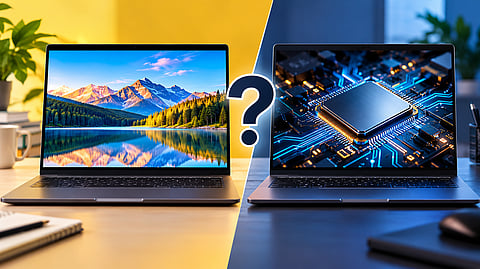

Choosing between a better display and a faster processor for your laptop.
Photo Credit: AI-Generated

A better display is often the smarter upgrade for everyday work, browsing and content creation.
A faster processor matters more for video exports, coding, multitasking, gaming and 3D work.
Prioritise 16GB RAM and a balanced configuration before chasing an OLED display or faster processor.
I would not spend extra on a faster processor if it means looking at a dim, washed-out display for the next four to five years. I also would not buy an OLED laptop and settle for 8GB of RAM. The screen is the part I look at every day, while the processor determines how quickly demanding work gets done. My budget would go to whichever one is actually holding the laptop back.
Within the same laptop series, the more expensive configuration may offer a faster processor, a brighter display, or both. The processor often looks like the bigger upgrade on the spec sheet, but the display is what I notice every time I use the laptop.
For most college and office work, I would take a current mid-range processor with a good display over a high-end processor paired with a 250-nit panel. If my work involves exports, coding, gaming or heavy multitasking, the processor becomes more important, provided the display is already good enough.
I would look at the type of work I do first, then decide whether the extra money should go towards the display or the processor.
Within the same series, the cheaper configuration may come with a Intel Core 3/5 or AMD Ryzen 3/5 processor and a 15.6-inch IPS display with around 250 to 300 nits of brightness. The more expensive version may move to a Core 7 or Ryzen 7 processor, or keep the same processor while adding a brighter 16:10 display or OLED panel.
The price difference depends on the laptop and the current sale price, so I would compare the actual configurations rather than assume that a processor upgrade always costs a fixed amount.
There are a few display specifications I would check first:
Brightness: Measured in nits. A 250-nit display can be acceptable indoors but may feel difficult to read near a bright window.
Colour coverage: Specifications such as sRGB and DCI-P3 indicate how much of a colour range the display can reproduce. A display with limited colour coverage can make images and other content look less vibrant.
Resolution: Full HD is enough for many laptop users. I would prioritise brightness and colour coverage before paying more for a higher resolution.
The processor upgrade matters more when the workload is demanding. A newer mid-range processor can outperform an older high-end chip while also being more efficient. A faster processor can help with compiling code, exporting video and heavy multitasking, but I would not expect a major difference in everyday browsing, documents and streaming if the laptop already has 16GB of RAM.
I would spend more on the display.
For this type of work, I would prioritise a screen that is comfortable to read near a window, a 16:10 aspect ratio if I spend most of my time in documents, and 16GB of RAM before moving to a more powerful processor.
A current Core 5 or Ryzen 5 is enough for most of these workloads. I would rather have that combination than an older Core 7 paired with 8GB of RAM and a poor display.
I would pay more attention to the display.
OLED can make a noticeable difference for films, photo editing and other visual work because each pixel can produce its own light. A discussion on r/TechnologyNewsIndia makes a similar distinction, with OLED making more sense for people who watch and edit content, while IPS can be the more practical choice when the budget is tighter or the room is very bright.
I would still prioritise 16GB of RAM before moving to an OLED configuration.
Here, the graphics processor matters more than a small jump in CPU performance.
I would also make sure the display matches the hardware. A 144Hz panel is not particularly useful if the graphics hardware cannot deliver high frame rates in the games I play. At the same time, a powerful GPU paired with a dim 60Hz display can limit the experience.
On r/LaptopDealsIndia, one buyer described moving away from basic Intel graphics as the upgrade they noticed most and still used a separate monitor. That is one person's setup, but it makes an important point: the laptop display is not always the only display that matters.
On r/laptops, a discussion about choosing between a sharper 120Hz OLED display and a slightly faster processor produced different answers. Several users preferred the display because they spend hours looking at it, while another preferred the processor.
That is the answer I would follow too -- it depends on the work.
The idea that displays can simply be upgraded while processors cannot may be true for some desktop setups, but it does not generally apply to modern laptops. Laptop processors are usually soldered to the motherboard, while the display is also not a simple user-replaceable component.
A Quora discussion on processor versus graphics makes another useful point: the display should match the graphics hardware, rather than paying for a high-resolution panel that the GPU cannot properly drive. For office work, the discussion places more importance on the processor and RAM than on a dedicated graphics card.
I would use these discussions as context, not as a ranking of what everyone should buy.
I would not pay extra for a 3K OLED display if it means buying a laptop with 8GB of soldered RAM. The display may look excellent, but the laptop can still struggle with everyday multitasking.
I would also not pay extra for a Core 7 or Ryzen 7 over a current Core 5 if the faster configuration still has a 250-nit display with limited colour coverage and my work mainly involves documents and browsing.
Similarly, I would not pay for a 144Hz display just because the number looks better. If the integrated graphics cannot deliver the frame rates I need, I would rather put that money towards better graphics hardware.
RAM sits between both decisions. If spending more on the processor or display means dropping to 8GB, I would skip the upgrade. Moving to 16GB can make a bigger difference to everyday use than moving up one processor tier on a laptop that already has a current chip.
With a budget of around ₹60,000, I would prioritise a current mid-range processor, 16GB of RAM and the brightest Full HD display I can get. I would not chase OLED if getting it means settling for 8GB of RAM or an older processor.
Around ₹80,000, better OLED and higher-resolution displays become more realistic options. If the laptop already has a current mid-range processor and 16GB of RAM, I would take the better display. I would spend more on the processor or a dedicated GPU only if my work actually needs the extra performance.
If I already have a good external monitor, the laptop display matters less to me. In that case, I would be more comfortable putting the extra money towards the processor.
If the laptop is my only screen, I would not compromise on the display just to get a higher processor badge.
Should I choose a better display or a faster processor in a laptop?
Choose a better display if your work is mostly browsing, documents, classes or content consumption. Choose a faster processor if you regularly handle demanding tasks such as video exports, coding or heavy multitasking.
Is a 16GB RAM laptop with a better display better than 8GB with a faster processor?
For most everyday users, I would choose 16GB RAM with the better display. More RAM can make multitasking smoother, while a faster processor may not provide much benefit for basic workloads.
Is OLED worth paying more for on a laptop?
OLED can be worth the extra cost for people who watch a lot of content, edit photos or video, or value better contrast and colour. I would not choose OLED if it means compromising on RAM or other important hardware.
How many nits should a laptop display have?
A 250-nit display can work indoors, but I would prefer a brighter panel if I regularly use the laptop near windows or in bright rooms. Brightness should be considered alongside colour coverage and other display specifications.
Which is more important for a laptop, the processor or the display?
Neither is always more important. For everyday work, I would prioritise a good display and 16GB RAM. For demanding workloads such as gaming, coding or video editing, I would spend more on the processor or graphics hardware if the display is already good enough.
Disclaimer: Laptop performance and display quality can vary by model and configuration. Always check the exact processor, RAM, display specifications and GPU before making a purchase.
At marvelof.com, we spotlight the latest trends and products to keep you informed and inspired. Our coverage is editorial, not an endorsement to purchase. If you choose to shop through links in this article, whether on Amazon, Flipkart, or Myntra, marvelof.com may earn a small commission at no extra cost to you.






