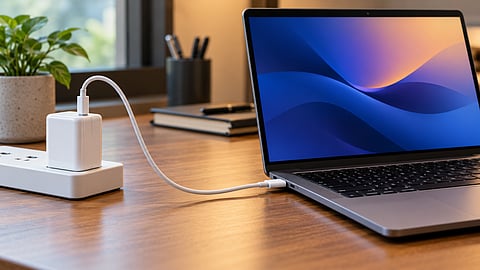

A 100W USB-C charger may not deliver its full rated power to your laptop, resulting in slower charging.
Photo Credit: AI-Generated

A laptop draws power according to its supported charging limits, not just the adapter’s maximum wattage.
USB-C cable ratings, power sharing, battery temperature and demanding workloads can affect charging speeds.
Check your laptop’s charging specifications and cable compatibility before buying a higher-wattage adapter.
A 100W adapter does not mean a laptop is drawing 100W. The USB-C port, cable and battery determine how much power the laptop can accept. Even with a powerful adapter, charging can slow down because of hardware limits, power sharing, heat or the battery's charge level.
This can be confusing when you've invested in a higher-wattage charger expecting faster charging, only to see the battery percentage rise slowly. Before replacing the adapter, it is worth checking whether the limitation comes from the charger, cable or laptop itself.
USB-C is the connector, while USB Power Delivery (USB PD) handles the negotiation between the charger and the laptop. The charger offers supported power profiles, and the laptop selects one it can accept. If any part of the setup cannot support a higher power level, the connection falls back to a lower one. Let us check out the common reasons why this happens and what you can do about them.
A laptop that supports 65W USB-C charging will not draw 100W simply because a more powerful adapter is connected. The additional capacity remains unused. The same applies to laptops with different charging requirements across their USB-C ports.
Real-world discussions on Reddit illustrate how these charging limits affect laptop owners. In one r/techsupport discussion, users suggest several possible explanations for a laptop drawing only 60–65W, including cable limitations, battery charge levels and power consumed by the laptop itself. The last point is important because the power going into the battery may be lower than the total power supplied by the adapter.

A Reddit user discusses why a laptop draws only 60–65W from a 100W USB-C charger despite supporting 100W charging.
Photo Credit: Reddit
A separate discussion on r/UsbCHardware highlights other factors, including power sharing between ports, the need for compatible 5A cables and the difference between advertised and sustained charger output. These community discussions are not controlled tests, but they illustrate why a 100W rating does not guarantee that a laptop will draw 100W.
Gaming laptops are a separate case. A machine designed around a 170W or 230W barrel adapter may support only lower-wattage USB-C charging, if it supports USB-C charging at all. A 100W adapter might charge it slowly or struggle to keep the battery level steady while the laptop is running a demanding game.
When choosing a replacement charger, check your laptop's official specifications for its supported charging wattage and USB-C Power Delivery requirements. Choose a compatible adapter that meets those requirements, along with a cable rated for the same power level. A higher-wattage charger is useful if you plan to use it with other compatible devices, but it will not make a laptop charge faster than its own hardware allows.
A USB-C cable rated for 3A can deliver up to 60W at 20V. For 100W charging, the cable must support 5A and have the appropriate electronic marker, known as an e-marker. This allows the devices to identify the cable's capabilities and negotiate a compatible power level.
A cable can therefore work for everyday charging but become a limitation when used with a more powerful adapter. If the laptop charges more slowly than expected, trying a compatible, appropriately rated cable is a sensible first step before replacing the charger.
Multi-port adapters can introduce another limitation. A charger advertised as 100W may provide that output only when a single port is in use. Connecting a phone or tablet can cause the adapter to redistribute its available power, leaving less for the laptop. The total wattage printed on the charger is its maximum capacity, not necessarily the output available to every connected device simultaneously.
Laptop batteries do not charge at a constant rate from empty to full. Charging generally slows as the battery approaches its upper capacity, with the exact behaviour depending on the battery and its charging system. A laptop that charges quickly at first but slows considerably above 70–80% may be behaving normally.
Temperature also matters. When the battery or charger gets too warm, the system may reduce charging power to protect the hardware. Using a laptop on a bed or inside a bag can restrict airflow and make heat management more difficult.
The workload is another factor. When a laptop is running demanding applications, some of the incoming power goes towards operating the processor, graphics hardware, display and other components. The remaining power is available to charge the battery.
For example, if a laptop receives 65W and uses 40W to run the system, roughly 25W remains for charging before accounting for conversion losses and other power-management behaviour. The charger may be working as expected even if the battery percentage rises slowly.
I would start with the USB-C port. Not every USB-C port supports charging, and supported input wattage can vary between ports on the same laptop. The laptop's specifications or manual should identify which port accepts power and its maximum supported input.
Next, I would check the cable. For 100W charging, it needs to support the required power level, including 5A operation and the appropriate e-marker. I would also check whether the charger shares power between ports and test it with other connected devices unplugged.
The battery level and temperature are worth checking before drawing conclusions. Testing below 80% charge, with the laptop on a hard surface and demanding applications closed, gives a more useful indication of its charging behaviour. If charging remains unusually slow under these conditions, check the manufacturer's charging specifications and consider whether the battery or adapter needs attention.
I would not buy a higher-wattage adapter until these factors are ruled out. A 140W charger will not make a laptop accept more than its supported input limit. The goal is to ensure that the charger, cable and laptop are compatible, rather than simply choosing the adapter with the highest number on its label.
Why does my laptop charge slowly with a 100W charger?
A laptop may charge slowly with a 100W charger because its hardware supports a lower charging wattage. Cable limitations, battery temperature, power sharing and heavy workloads can also reduce charging speed.
Can I use a 100W USB-C charger for any laptop?
No. The laptop must support charging through USB-C and be compatible with the charger's power delivery specifications. Check the manufacturer's recommended charging wattage and requirements before using a replacement adapter.
Does a higher-wattage charger charge a laptop faster?
Not necessarily. A laptop draws only the power it supports and needs. A 100W charger will not make a laptop designed for 65W charging accept more power than its hardware allows.
Can a USB-C cable affect laptop charging speed?
Yes. A cable that does not support the required power level can limit charging. For charging above 60W, a compatible 5A USB-C cable with the appropriate electronic marking, or e-marker, is generally required under USB Power Delivery specifications.
Why does my laptop charge more slowly when I use it?
Running demanding applications, gaming or other power-intensive tasks increases the laptop's power consumption. Some of the power supplied by the adapter goes towards running the laptop instead of charging the battery, slowing the battery's progress.
Why does my laptop charge more slowly when I use it?
Running demanding applications, gaming or other power-intensive tasks increases the laptop's power consumption. Some of the power supplied by the adapter goes towards running the laptop instead of charging the battery, slowing the battery's progress.
Why does my laptop charge more slowly when I use it?
Running demanding applications, gaming or other power-intensive tasks increases the laptop's power consumption. Some of the power supplied by the adapter goes towards running the laptop instead of charging the battery, slowing the battery's progress.
Does battery temperature affect laptop charging speed?
Yes. Laptops may reduce charging power when the battery becomes too hot or too cold. Charging can also slow as the battery approaches full capacity. Keeping the laptop well ventilated and using a compatible charger can help maintain normal charging behaviour.
Disclaimer: Charging speeds and compatibility vary by laptop model, USB-C port, charger, cable and battery condition. Check your laptop manufacturer's official specifications before purchasing or using a replacement charger. Use a compatible adapter and cable that meet the device's power requirements.
At marvelof.com, we spotlight the latest trends and products to keep you informed and inspired. Our coverage is editorial, not an endorsement to purchase. If you choose to shop through links in this article, whether on Amazon, Flipkart, or Myntra, marvelof.com may earn a small commission at no extra cost to you.





