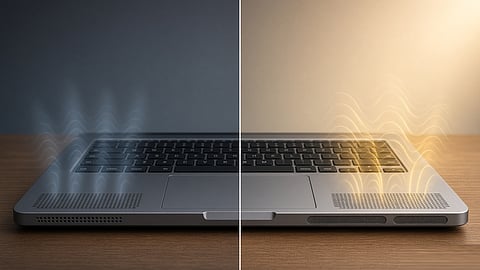

Several design and hardware factors affect how good laptop speakers sound.
Photo Credit: AI-Generated

Similar laptop speaker hardware can produce different sound because placement, drivers, chassis design and audio tuning affect the final result.
Speaker count and wattage do not always indicate better sound; clarity, bass, volume and distortion matter more.
Listening to speakers at different volumes and on different surfaces can give a better idea of their real-world sound quality.
Laptop speaker specifications do not always tell you how good they will sound. Two laptop models can have stereo speakers, similar wattage and even the same audio brand, but one can sound clear and balanced while the other sounds thin or harsh at higher volumes.
A lot of this comes down to things that are not mentioned in the specifications. Speaker placement, driver size, amplifier power and software tuning can all affect the sound. The chassis also matters, including where the speaker openings are and how much space the speakers have inside.
While these are some of the things that affect how laptop speakers sound, let us take a look at what makes the difference in everyday use.
Laptop speakers are used for more than just music. They handle video calls, movies, YouTube videos, games and other everyday tasks. Poor speakers can make voices difficult to hear and content sound thin, even when the laptop has good specifications. Knowing what affects speaker quality can help users make a better choice instead of relying only on the audio brand or wattage.
Speakers that fire upwards or towards the user usually sound clearer than those that fire downwards or into a desk. Down-firing speakers can sound different depending on the surface underneath the laptop, such as a hard table or soft bed.
The speaker openings in the chassis also matter. If the sound has to pass through a narrow gap or the drivers are placed under the deck, voices can lose clarity and the stereo effect can feel smaller. Good placement cannot fix a weak driver, but it can be one reason two laptops with similar hardware sound different.
While two laptops can have stereo speakers, the driver sizes and internal chambers can be different. Larger drivers and better-designed enclosures can provide better bass, volume and clarity. Thin laptops have less room for both, which can limit how full the speakers sound.
It is worth noting that the space behind the driver also matters. A small or poorly designed chamber can make the sound feel thin, while a better chamber can help the driver produce better bass and clearer sound.
More speakers do not automatically mean better sound. A four-speaker system can improve stereo separation or use different drivers for different frequency ranges, but the way those speakers are designed and placed matters more.
Two well-placed speakers with decent chambers can sound better than four weaker ones in a thin chassis. The number of speakers is only one part of the setup. What matters is whether the audio stays clear and balanced, especially at higher volumes.
Digital Signal Processing (DSP) and software tuning can make similar speaker hardware sound different. Manufacturers can adjust the frequency response, volume, stereo image and how the speakers behave at higher volumes.
Dolby Atmos, DTS and similar features do not automatically mean better speakers. They are used for audio processing or certification, and their presence does not guarantee better sound. Tuning can make small drivers sound fuller, but too much bass processing can make the sound muddy or harsh. If the software allows it, listen with the effects on and off to hear the difference.
The space inside the chassis also affects how the speakers sound. Larger chambers can give the drivers more room to move air, while a cramped internal layout can limit the sound.
Notably, the speaker openings matter too. Narrow or poorly positioned openings can affect clarity, while a better acoustic design can help the speakers sound more open. The chassis can also add unwanted vibrations or resonance, which can affect the final sound.
Bass should add some depth without making the overall sound muddy. At the same time, voices should remain clear and easy to follow, especially when watching videos or taking calls.
For everyday use such as calls, YouTube and films, balanced sound is more useful than heavy bass. Too much low-end can make the sound boomy, cause chassis vibrations or cover voices. A good speaker system should keep dialogue clear and the overall sound balanced at different volume levels.
The speakers should stay clear as the volume increases. If the bass drops off, voices become sharp or distortion starts early, they are reaching their limit.
A laptop that gets very loud but sounds harsh or distorted is not necessarily better than one that plays a little quieter and stays clear. How well the speakers handle higher volumes matters more than how loud they can get.
Listen if possible: Play a video, music track or podcast instead of judging the speakers only by their specifications.
Try different volume levels: Check whether voices and music stay clear as the volume increases.
Test different surfaces: If the speakers are down-firing, listen on a desk and another surface to see how much the sound changes.
Turn audio effects off: If the laptop offers Dolby, DTS or similar processing, compare the sound with the effects enabled and disabled.
Read detailed reviews: Look for comments on bass, vocal clarity, distortion and overall balance rather than just speaker count or wattage.
Before choosing a laptop, look beyond the speaker count and wattage. Check the speaker placement, driver setup and audio features, and look for real-world reviews that discuss vocals, bass, volume and distortion. If possible, listen to the laptop yourself at different volume levels to get a better idea of its sound quality.
Disclaimer: Laptop audio quality can vary by model, configuration and software. Audio features and processing can also differ between regions and configurations. Always check the manufacturer's specifications and real-world reviews before making a purchase.
At marvelof.com, we spotlight the latest trends and products to keep you informed and inspired. Our coverage is editorial, not an endorsement to purchase. If you choose to shop through links in this article, whether on Amazon, Flipkart, or Myntra, marvelof.com may earn a small commission at no extra cost to you.






