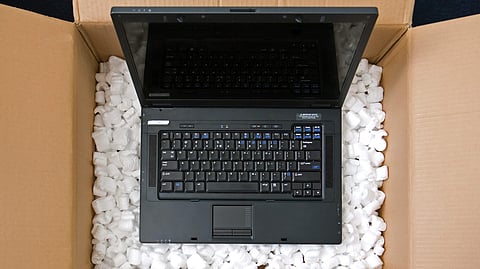

Inspect the package for dents, torn tape, water damage, and broken seals.
Photo Credit: packagism.com

Inspect the package for dents, torn tape, water damage, and broken seals.
Document suspicious packaging with photographs and videos before confirming acceptance.
Use open-box delivery when available and follow the platform’s inspection procedure.
If damage is discovered after unboxing, photograph it and preserve the original packaging, invoice, and serial-number details.
Raise a return, replacement, or refund request promptly through the seller or shopping platform.
Check the exact return window, manufacturer’s dead-on-arrival policy, and payment-dispute deadlines.
Escalate unresolved complaints through the platform’s grievance officer or National Consumer Helpline at 1915.
You waited for a festive sale, compared prices across shopping platforms, and finally ordered your new laptop. But when the delivery arrives, something seems wrong. The box has a crushed corner, the tape looks different, or the package feels unusually light. With the delivery executive waiting and other deliveries to complete, you may feel pressured to accept it quickly.
For an expensive purchase like a laptop, rushing through delivery can make resolving a damage or tampering complaint more difficult. The good news is that you can take practical steps to protect your interests, preserve evidence, and raise a complaint if something is wrong. What you do at the doorstep—and during the first few hours after delivery—can make a real difference.
Here is a step-by-step guide for laptop buyers dealing with a damaged, defective, or potentially tampered-with laptop delivery:
Before confirming delivery, take a moment to examine the outer packaging. You do not need to dismantle the package to spot obvious warning signs. Look for these signs:
Crushed corners or deep dents: These may indicate that the package was dropped or subjected to heavy pressure during transit.
Torn or suspicious tape: Look for cut seals, loose tape, or fresh tape covering damaged areas.
Water stains or damp cardboard: Moisture may have reached the contents and could have affected the laptop.
Damaged inner-box seals: If the retail box is visible, check whether its seals appear broken or disturbed.
Unusual package condition: Loose contents, rattling sounds, or packaging that appears to have been opened and resealed deserve closer attention.
Remember that damaged outer packaging does not automatically prove that the laptop itself is damaged or that someone has tampered with it. However, it is a good reason to pause and document the condition before proceeding. If you notice a problem, take clear images of the box from several angles. Include the shipping label and any visible damage.
If the package is visibly damaged, opened, or suspiciously resealed, refusing delivery may be the simplest option—provided the delivery process allows it. Follow these steps given below:
Do not rush to confirm acceptance: If the delivery requires an OTP or signature, first check the platform's instructions and ask whether you can inspect the package.
Explain the problem: Point out the torn tape, damaged corner, wet packaging, or other visible concern.
Document the condition: Take photographs or a short video showing the package and the damage at the doorstep.
Contact customer support: Use the shopping app or official support channel to report the issue and ask how to proceed.
Request written confirmation: If the delivery is refused, ask for confirmation that the refusal was recorded and find out how the refund or replacement process will work.
Do not assume that refusing a package automatically guarantees an immediate refund. The platform may need to verify the return, and refund timelines depend on its policies and the payment method. If the delivery executive cannot resolve the issue, avoid an argument. Record the relevant details and contact the platform directly.
Some sellers and e-commerce platforms provide open-box delivery for selected products. Under this arrangement, the buyer can view the specified aspects of the package or product in the delivery executive's presence before accepting it.
If open-box delivery is offered for your laptop, read the instructions carefully and use the opportunity to check the permitted items. Depending on the platform's process, this may include verifying the laptop, checking its physical condition, and confirming that the listed accessories are present.
Keep these points in mind:
Check whether open-box delivery is explicitly available for your order.
Follow the platform's inspection procedure rather than assuming you can freely test every feature.
Report visible damage, missing accessories, or a mismatch immediately.
Do not share the OTP or confirm acceptance before completing the required inspection.
If open-box delivery is unavailable, ask customer support what inspection options apply to your order.
Open-box delivery is not a substitute for reading the return policy. It also does not necessarily eliminate the requirement to report a problem discovered later.
Sometimes the outer packaging appears perfectly normal, but the problem becomes apparent only after opening it. You might discover a cracked screen, a dented body, missing accessories, an unsealed retail box, or a device that appears used. If this occurs, document the issue immediately.
Take clear photographs: Capture the damaged screen, body, ports, hinges, accessories, and packaging from several angles.
Record a video if possible: If you filmed the unboxing, preserve the original, unedited video. If you did not, record the laptop's current condition without suggesting that the new video shows the original unboxing.
Photograph the serial number: Capture the serial number on the laptop and compare it with the box and invoice, where available.
Save the invoice and order details: Keep the order ID, invoice, delivery date, and seller information together.
Retain all packaging: Do not discard the shipping carton, retail box, seals, protective material, or accessories until the complaint is resolved.
A continuous unboxing video can be useful evidence because it may show the packaging and contents as they were opened. However, it is not a guarantee that a claim will be approved; photographs, invoices, inspection reports, and other records can also help establish what happened.
If the laptop appears used, has someone else's account signed in, or shows signs of previous setup, document the condition before making changes. Avoid resetting the device or attempting repairs before contacting the seller or manufacturer.
If the laptop appears unsafe to use—for example, because of a swollen battery or visible liquid damage—do not switch it on or charge it. Contact the seller or authorised service provider for guidance.
The moment you have documented the issue, open the shopping app or website and locate your order. Look for the available return, replacement, or complaint options. Select the reason that accurately describes the problem, such as:
Damaged product
Defective or non-working product
Wrong item received
Missing accessories
Suspected tampering or signs of prior use
The available options depend on the platform and seller. Describe the issue properly and specifically rather than selecting an unrelated reason simply because it appears easier. When submitting the request, don’t miss the following steps given below:
Include the order ID and invoice details.
Describe exactly what is wrong and when you noticed it.
Upload the photographs and other evidence requested by the platform.
State whether you are seeking a replacement or a refund.
Save the complaint or ticket number.
Keep copies of support chats, emails, and any inspection or pickup records.
You may also send a written complaint through the seller's or platform's official support channel. Written communication helps create a record of the complaint and the response.
The right option depends on the circumstances and the remedies available under the platform's policy and applicable consumer law. A replacement may suit you if the laptop is damaged or defective and you still want the same model. If you received the wrong product, suspect tampering, or believe the device was previously used, clearly explain why you prefer a refund.
Do not assume that every laptop can be returned for any reason. Electronics return policies can be restrictive, and the available remedy may depend on the nature of the problem, seller terms, warranty conditions, and applicable law.
If a technician's inspection is required, ask for the appointment details and written confirmation of the findings. Keep a copy of any inspection report you receive.
A common mistake is waiting too long to report a problem. Different deadlines may apply to marketplace returns, manufacturer policies, payment disputes, and consumer complaints. Check the following situation and steps you should take:
Visible damage at delivery: Document it instantly and ask about refusing the package before accepting it.
Discovering damage after unboxing: Report it at the earliest and check the return deadline displayed in the order.
Platform return or replacement: Follow the precise deadline and instructions shown for your order instead of assuming every laptop has similar return window.
Manufacturer's dead-on-arrival (DOA) policy: Contact the manufacturer or authorised service channel immediately and request the applicable policy in writing.
Seller or platform complaint: Keep the complaint number, submission date, responses, and evidence of follow-up.
Consumer complaint: Seek help instantly. Under the Consumer Protection Act, 2019, the general limitation period for filing a consumer complaint is two years from the date the cause of action arises, subject to applicable legal provisions.
The two-year consumer-complaint limitation period should not imply that you have to wait for two years before reporting delivery damage. Platform returns, manufacturer DOA procedures, and payment disputes can have much shorter deadlines.
Check your order page and the relevant written policies immediately after discovering a problem. Set reminders so that you do not accidentally miss a deadline.
If your complaint is ignored, rejected without a satisfactory explanation, or repeatedly delayed, escalate it in a structured way.
E-commerce entities covered by the Consumer Protection (E-Commerce) Rules, 2020, are required to provide a grievance-redressal mechanism. The rules prescribe acknowledgement of consumer complaints within 48 hours and redressal within one month of receipt.
Submit your complaint through the official grievance channel. Include the order ID, invoice, photographs, support ticket numbers, and a clear explanation of the resolution you are seeking. Keep proof of submission.
You can approach the National Consumer Helpline (NCH) for assistance with consumer grievances. You can contact the helpline number 1915 or visit the the website consumerhelpline.gov.in.
Provide the purchase details, evidence of the damage, and records of your communication with the seller or platform. The helpline can facilitate grievance resolution, although it cannot guarantee that the company will provide the outcome you want.
If the laptop is expensive and the dispute remains unresolved, you may consider consulting a consumer-law lawyer about sending a legal notice. This can help communicate your claim formally, but it does not guarantee a settlement.
If other efforts fail, you may consider filing a complaint before the appropriate Consumer Commission. Check the current government portal and procedure for filing, applicable jurisdiction, documentation, and fees. The e-Daakhil system has been associated with online consumer-complaint filing; verify the current official filing route before proceeding.
You do not necessarily need a lawyer to bring a consumer complaint, although legal advice may be useful in a complex or high-value dispute.
Before accepting and after opening a laptop delivery, follow the laptop checklist:
Inspect the outer box for dents, tears, moisture, and suspicious tape.
Photograph any visible damage before accepting the package.
Check whether open-box delivery is available.
Follow the platform's instructions before sharing an OTP or confirming acceptance.
Record an unboxing video where possible and preserve the original file.
Compare the laptop's serial number with the box and invoice, where applicable.
Check the laptop, accessories, and physical condition.
Keep the packaging, invoice, and order confirmation.
Raise a complaint promptly if anything is damaged, missing, defective, or suspicious.
Save support chats, emails, ticket numbers, and inspection reports.
Confirm the exact return, DOA, and payment-dispute deadlines.
Escalate through the grievance officer or National Consumer Helpline if necessary.
A laptop is a significant purchase, and discovering damage or possible tampering after delivery can be stressful. But you do not have to handle the situation without a plan. Inspect the package before accepting it, document any suspicious condition, preserve the packaging and invoice, and report problems promptly through the seller's or platform's official channels.
If the issue is discovered after unboxing, take clear photographs, preserve any original unboxing footage, and check the applicable return or replacement policy immediately. If the seller does not cooperate, keep a written record and consider escalating through the platform's grievance officer, the National Consumer Helpline, your bank where appropriate, or the Consumer Commission.
FAQs
Should I refuse delivery if my laptop package looks damaged?
If the package is visibly damaged, opened, or suspiciously resealed, refusing delivery is advisable when possible. Before refusing, inspect the package carefully, document the damage with photos or videos, inform the delivery executive, and contact customer support. Keep written confirmation of the refusal and follow the platform's instructions for a refund or replacement process.
What is open-box delivery, and how does it help with laptop inspections?
Open-box delivery allows the buyer to inspect certain aspects of the laptop or its packaging in the presence of the delivery executive before accepting it. It helps verify the condition, check for missing accessories, and identify visible damage. However, inspection options vary by platform and are not a substitute for return policies or later complaints if problems appear.
How soon should I report damage found after opening the laptop package?
Report any damage or defects immediately after discovery, ideally within the return or replacement window specified by the seller or platform. Prompt documentation with photographs, videos, and invoices is critical. Early reporting improves the chances of a successful return, replacement, or refund under the relevant policies.
What steps can I take if the seller or e-commerce platform does not cooperate with my damage complaint?
If unresolved, first contact the platform's grievance officer as mandated by Consumer Protection (E-Commerce) Rules, 2020. If still unsatisfied, approach the National Consumer Helpline with evidence. For serious disputes, consider sending a formal legal notice or filing a complaint before the Consumer Commission. Maintaining written records is essential throughout.
What evidence should I collect to support a damaged laptop claim effectively?
Collect clear photographs and videos of packaging and product damage, including serial numbers and invoice details. Preserve the original packaging, order confirmation, and any unboxing video footage if available. Keep copies of all communication with the seller or platform, including support tickets and complaint numbers. These records strengthen your claim.
Before accepting your next laptop delivery, inspect the packaging carefully and document any suspicious damage. If you discover a problem after opening the box, preserve the evidence and contact the seller immediately. Check your order’s return deadline and escalate the complaint through the appropriate grievance channel if the issue is not resolved.
Disclaimer: Return, refund, and replacement policies may vary by seller, shopping platform, and product. Consumer rights and complaint procedures are subject to applicable laws and current rules. Always verify the latest terms on official websites before taking action. For unresolved disputes, consider seeking guidance from the National Consumer Helpline or a qualified legal professional.
At marvelof.com, we spotlight the latest trends and products to keep you informed and inspired. Our coverage is editorial, not an endorsement to purchase. If you choose to shop through links in this article, whether on Amazon, Flipkart, or Myntra, marvelof.com may earn a small commission at no extra cost to you.






