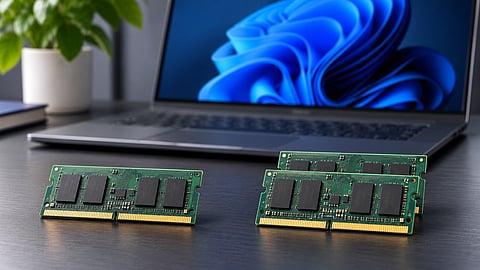

Single-channel and dual-channel RAM configurations in a laptop memory setup.
Photo Credit: AI-Generated

Single-channel RAM offers lower memory bandwidth, while dual-channel configurations allow the processor to access memory across two channels.
Integrated graphics can benefit significantly from dual-channel RAM because they share system memory with the processor.
Dual-channel memory is preferable for gaming and graphics-intensive workloads, but sufficient RAM capacity remains important for everyday computing.
A laptop can have 16GB of RAM and still deliver less performance than another machine with the same memory capacity. One reason is how that memory is configured. A laptop with a single RAM stick typically operates in single-channel mode, while a compatible configuration using two memory channels can provide greater bandwidth for the processor.
This difference becomes particularly important in laptops with integrated graphics, which share system memory with the CPU instead of having dedicated video memory. Games, graphics-intensive applications and certain demanding workloads can also benefit from the additional bandwidth, although the improvement varies depending on the hardware and task.
It is always advised to check the RAM configuration before buying a laptop, particularly if you plan to use it for gaming, creative work or heavier multitasking. Memory capacity remains important, but channel configuration can also affect performance in ways that are not immediately apparent from a product listing.
Single-channel and dual-channel refer to how the processor's memory controller accesses system RAM. In single-channel mode, it uses one memory channel. In dual-channel mode, it can access memory across two channels simultaneously, increasing the available memory bandwidth.
Most modern laptop processors support dual-channel memory. When compatible RAM modules are installed in the appropriate slots, the memory controller can use both channels to transfer data.
Here is how the two configurations compare:
For example, a DDR5-5600 memory configuration operating across one 64-bit channel offers a theoretical bandwidth of approximately 44.8GB/s. A dual-channel configuration can provide approximately 89.6GB/s under the same memory-speed assumptions.
This is a theoretical difference, not a guarantee that applications will run twice as fast. Actual performance depends on how much memory bandwidth a workload needs, along with the processor, graphics hardware and software.
It is also worth checking the memory configuration rather than simply counting RAM sticks. Some laptops use soldered memory alongside an upgradeable module, and supported configurations can vary.
The performance difference between single-channel and dual-channel RAM depends on the type of workload. Applications that rely heavily on memory bandwidth are more likely to benefit than tasks that are primarily limited by the processor or storage.
1. Integrated Graphics Performance
Unlike a dedicated graphics card, an integrated GPU does not usually have its own dedicated video memory. It shares system RAM with the processor to access the data needed for rendering graphics.
When a laptop operates in single-channel mode, the available memory bandwidth is lower. This can restrict how quickly the integrated GPU receives data, affecting gaming performance and other graphics-intensive workloads.
The difference can be substantial in certain games. In a comparison of two mini PCs powered by AMD Radeon 890M integrated graphics, TechRadar reported that the dual-channel system achieved around 38 fps in Cyberpunk 2077, compared with 22 fps on the single-channel system. The difference was even larger in F1, where the respective systems recorded 86 fps and 24 fps.
These results illustrate how restricted memory bandwidth can affect integrated graphics performance. However, the comparison involved two mini PCs with different memory configurations, so the figures should not be treated as universal results for every Radeon 890M laptop.
For laptops relying on integrated graphics, checking whether the RAM operates in dual-channel mode is particularly important.
2. Gaming Performance With a Dedicated GPU
A laptop with a dedicated NVIDIA or AMD graphics card is generally less dependent on system RAM bandwidth for graphics rendering because the GPU has its own video memory.
However, system memory configuration can still affect gaming performance. CPU-bound games, which depend more heavily on processor performance, may benefit from dual-channel RAM. It can also improve frame-time consistency and reduce some performance dips.
The difference in average frame rates is often smaller in GPU-bound games, where the graphics card is already the main performance limitation.
This means dual-channel RAM can help gaming laptops, but the improvement is not necessarily as large as it is on machines using integrated graphics.
3. Everyday Work and Multitasking
For everyday activities such as browsing, working with documents, attending video calls and watching videos, single-channel RAM is unlikely to create a noticeable performance problem if the laptop has sufficient memory capacity.
The difference becomes more relevant when running several demanding applications simultaneously or working with large spreadsheets, photo-editing projects, video exports and code compilation.
In these situations, dual-channel memory can improve performance depending on the workload. However, having sufficient RAM capacity is generally more important than channel configuration for basic multitasking.
For most users, 16GB is a practical starting point for a modern Windows laptop, although demanding workloads may require more.
4. Battery Life and Thermals
Adding a second RAM module increases the amount of memory hardware drawing power. However, the difference in overall power consumption is generally small compared with the processor, display and workload.
A dual-channel configuration does not automatically mean significantly shorter battery life or higher temperatures. Actual results depend on the laptop's memory modules, power management and overall design.
I would not choose single-channel RAM purely to save battery power unless independent testing of the specific laptop shows a meaningful difference.
The difference between the two configurations is also reflected in discussions among laptop owners, particularly those using gaming laptops with integrated or entry-level graphics.
In one r/GamingLaptops discussion on Reddit, a Lenovo Legion 5 user reported a substantial improvement after upgrading from 8GB single-channel RAM to 16GB dual-channel memory. The reported results included nearly twice the average frame rate in Shadow of the Tomb Raider and an improvement of roughly 100 fps in Valorant.
Other users in the same discussion pointed out that the benefit is not always reflected in average frame rates. With a dedicated GPU, the more noticeable improvement can sometimes be smoother frame delivery and fewer performance dips rather than a dramatic increase in the average fps.
In discussions about everyday laptop use, users also commonly distinguish between gaming and basic productivity. Browsing, documents and video playback may not show an obvious difference when the laptop already has sufficient RAM.
These are individual experiences rather than controlled comparisons. Nevertheless, they illustrate why the impact of dual-channel memory varies with the processor, graphics hardware and workload.
A product listing may mention the total RAM capacity without explaining how it is configured. Before purchasing, I would check the manufacturer's specifications or look for a detailed memory configuration.
Here are a few ways to identify the configuration:
Check the product specifications: Look for the number of RAM slots, memory type and whether the RAM is soldered or removable.
Check the manufacturer's documentation: Some laptop specifications explicitly mention single-channel or dual-channel memory support and factory configurations.
Use Windows Task Manager: Open Task Manager, select Performance, and then Memory. It shows details such as memory speed and slots used, although it does not consistently identify the active channel mode.
Use hardware information tools: Utilities such as CPU-Z can provide additional information about memory channel configuration, depending on the platform and system.
If the laptop has one 16GB module and an empty compatible slot, adding another suitable module may enable dual-channel operation. However, confirm the laptop's memory limits and supported configurations first.
In many laptops, yes. If the motherboard has an available memory slot and the processor supports dual-channel operation, adding a compatible RAM module can enable the second channel.
Before upgrading, check the following:
RAM type: Match the supported memory generation, such as DDR4 or DDR5.
Memory speed: Choose a module supported by the laptop. The system may run memory at a lower supported speed if the modules differ.
Capacity: Using modules of equal capacity generally provides a straightforward dual-channel configuration.
Available slots: Check whether the laptop has an empty slot or uses soldered memory.
Maximum supported memory: Confirm the processor and laptop manufacturer's memory limits.
Using modules with different capacities does not always prevent dual-channel operation. Some platforms support flex mode, where matching portions of the memory operate in dual-channel mode while the remaining capacity operates in single-channel mode.
However, laptops with fully soldered RAM generally do not offer a user-accessible memory upgrade. In such cases, the factory configuration is particularly important.
I would prioritise dual-channel RAM when buying a laptop that relies on integrated graphics or will be used for gaming and graphics-intensive work. The additional memory bandwidth can make a meaningful difference, particularly when the integrated GPU shares system RAM.
For general productivity, browsing, document editing and video playback, a single-channel 16GB configuration can still be adequate. However, I would check whether the laptop allows a future memory upgrade rather than assuming the configuration can be changed later.
Ultimately, RAM capacity and channel configuration serve different purposes. Having enough memory prevents applications from running short of available capacity, while dual-channel operation increases the bandwidth available to the processor.
When comparing two similarly priced laptops, I would favour the one with dual-channel memory or a straightforward upgrade path, especially if it uses integrated graphics. A single-stick configuration is not automatically a deal-breaker, but it is a specification worth checking before making a purchase.
Frequently Asked Questions (FAQs)
What is the difference between single-channel and dual-channel RAM in laptops?
Single-channel RAM uses one memory channel to transfer data between the processor and system memory. Dual-channel RAM uses two channels simultaneously, increasing the available memory bandwidth. This can improve performance in workloads that depend heavily on memory bandwidth, particularly integrated graphics.
Does dual-channel RAM improve gaming performance?
Yes, dual-channel RAM can improve gaming performance, particularly on laptops with integrated graphics that share system memory. Gaming laptops with dedicated graphics cards can also benefit, although the improvement in average frame rates is generally smaller and depends on the game and hardware configuration.
How much faster is dual-channel RAM than single-channel RAM?
Dual-channel RAM can theoretically double the available memory bandwidth compared with a single-channel configuration running at the same memory speed. However, this does not mean applications run twice as fast. Actual performance gains depend on the processor, graphics hardware and workload.
Can I upgrade my laptop from single-channel to dual-channel RAM?
Yes, provided the laptop has an available compatible RAM slot and its processor and motherboard support dual-channel memory. Adding a suitable second module can enable dual-channel operation. However, laptops with fully soldered RAM generally do not offer this upgrade option.
Is 16GB single-channel RAM better than 8GB dual-channel RAM?
For most everyday workloads, 16GB single-channel RAM is generally preferable to 8GB dual-channel RAM because memory capacity affects how many applications and tasks a laptop can handle simultaneously. However, laptops using integrated graphics may benefit from the additional bandwidth offered by dual-channel memory. The ideal choice depends on the workload and whether the memory can be upgraded.
Disclaimer: RAM performance varies by hardware and workload. Gaming figures are from TechRadar's Radeon 890M mini PC comparison, not universal laptop benchmarks. Reddit posts reflect individual experiences, not controlled tests. Check manufacturer specifications before upgrading RAM.
At marvelof.com, we spotlight the latest trends and products to keep you informed and inspired. Our coverage is editorial, not an endorsement to purchase. If you choose to shop through links in this article, whether on Amazon, Flipkart, or Myntra, marvelof.com may earn a small commission at no extra cost to you.


