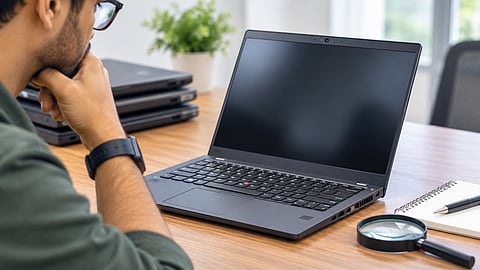

It is advised to check the battery, display, keyboard and ports before purchasing a used business laptop.
Photo Credit: AI-Generated

Used business laptops from Lenovo ThinkPad, Dell Latitude, or HP EliteBook can offer good value for everyday office work.
Check battery health, processor generation, RAM, SSD condition, BIOS passwords and corporate management restrictions before purchasing.
Compare the asking price with potential repair costs and prefer sellers offering a written warranty and return window.
Purchasing a used business laptop can be a sensible way to get a durable machine without spending as much as you would on a new laptop. Models such as Lenovo ThinkPad, Dell Latitude, HP EliteBook and ProBook, and ASUS ExpertBook ranges are commonly available in the refurbished and second-hand markets. Most were originally designed for professional workloads such as spreadsheets, presentations, documents, email and video calls.
These laptops can be suitable for freelancers, consultants, accountants, sales professionals and small-business owners who prioritise a sturdy chassis, comfortable keyboard and reliable everyday performance. However, older machines may have worn batteries, ageing hardware, display limitations or corporate security restrictions that are not immediately obvious.
Before making a purchase, it is worth checking a few things to understand the laptop's condition and whether it is worth the asking price.
A laptop may look perfectly fine from the outside but still have problems that only become apparent after a closer inspection. If you are meeting the seller in person, ask for some time to test the machine rather than relying on its appearance or the seller's word.
One should start with the laptop's exterior. Open and close the lid a few times to see whether the hinges move smoothly. Pay attention to cracks around the hinges, loose joints, missing screws, corner dents and damage to the bottom panel.
The keyboard and touchpad deserve equal attention. Test every key, including the function keys.
Some scratches and signs of wear are expected on laptops that have been used in offices for several years. However, a loose hinge, cracked chassis, sticky keys or an unresponsive touchpad can mean additional repair expenses. These are not issues to dismiss simply because the laptop is being sold at a lower price.
Open images with white, black, red, green and blue backgrounds to identify dead pixels, stuck pixels, uneven brightness and colour inconsistencies.
Pay attention to:
Dead or stuck pixels.
Light bleeding around the edges.
Flickering or sudden changes in brightness.
Scratches, pressure marks or discolouration.
Uneven lighting across the panel.
Many older business laptops come with matte Full HD displays. They are generally fine for office work, but brightness and colour coverage can be limited compared with newer consumer laptops. If you regularly edit photos or videos, refer to the exact display specifications rather than assuming that every Full HD panel offers similar quality.
Battery condition is worth assessing before purchasing any second-hand laptop. A machine that works well while plugged in may offer very little runtime once disconnected from the charger.
You can generate a battery report using Windows. Open Command Prompt and enter: powercfg /batteryreport
Windows will save an HTML report that you can open in a browser. Look for two figures:
Design Capacity: The battery's original rated capacity.
Full Charge Capacity: The maximum charge it can currently hold.
For example, if the Design Capacity is 50,000 mWh and the Full Charge Capacity is 40,000 mWh, the battery retains approximately 80% of its original capacity.
A battery retaining 70–80% capacity may still be usable for regular office work, depending on the laptop and its actual runtime. If the figure falls below 50–60%, factor in the cost of a replacement.
The cycle count, if available, provides additional information about battery usage. However, capacity and actual runtime are more useful when deciding whether a replacement is necessary.
Do not rely on the laptop's series name alone. A Lenovo ThinkPad, Dell Latitude or HP EliteBook range may include several configurations with different processors, memory capacities and performance levels.
Open Task Manager or System Information to confirm the exact processor model and installed RAM.
A few things deserve attention:
Prefer an officially Windows 11-supported processor. Many suitable Intel options start with 8th-generation Core processors, but verify the exact CPU against Microsoft's supported processor list.
Look for at least 16 GB RAM if you regularly work with multiple browser tabs and office applications.
Find out whether the RAM is soldered or upgradeable.
Establish whether an additional memory slot is available.
An older processor with 8GB RAM may still be sufficient for basic browsing and document work. However, it may struggle with heavier multitasking, particularly when several applications are running together.
An SSD can still boot Windows and open applications normally even when it has accumulated considerable wear.
Use a diagnostic utility such as CrystalDiskInfo to view the drive's reported health. Pay attention to critical warnings, excessive wear, media errors and reallocated sectors, where applicable.
Also note the available storage capacity and confirm that Windows recognises the drive correctly.
If the SSD shows signs of deterioration, ask the seller whether it has been replaced previously. A replacement drive is not necessarily a problem, but its condition and specifications should be established before you pay.
Business laptops often have additional BIOS security settings that may have been configured by their previous owners.
Restart the laptop and enter the BIOS setup. Depending on the manufacturer and model, the access key may be F1, F2, F10 or Del.
Look for a supervisor, administrator or setup password.
If the seller cannot provide or remove an existing BIOS password, it is better to avoid the machine. On several business laptop models, these passwords are protected by firmware or hardware-level mechanisms and cannot be cleared through a simple factory reset.
Go to Settings, then System, and then Activation and verify that Windows is activated.
Also establish whether the laptop runs Windows Home or Pro. Many business laptops originally came with Windows Pro, which offers additional security and management features.
Do not assume that a laptop has a valid Windows licence simply because it came from a corporate environment. If activation fails or Windows displays a licensing error, ask the seller to clarify the issue before purchasing the machine.
This is one issue that can turn an otherwise good purchase into a frustrating experience.
Some laptops previously owned by companies remain registered with their former organisation through Microsoft Intune or Windows Autopilot. As a result, the laptop may request workplace credentials or apply company policies even after Windows has been reinstalled.
Start by opening Settings, then Accounts, and then Access work or school. See whether an organisation account is connected.
However, an empty account list does not necessarily mean the laptop has been released from corporate management.
Ask the seller to demonstrate a Windows reset and complete the initial setup while connected to the internet. The laptop should not request the previous organisation's credentials or display a company-branded sign-in screen.
Autopilot registration is associated with the device's hardware identity. Reinstalling Windows alone does not remove it. The original organisation must release the device from its management system.
Business laptops usually offer a useful selection of connectivity options, but individual ports can become damaged through years of use.
Try the following:
Connect to a Wi-Fi network and see whether the connection remains stable.
Pair a Bluetooth device, such as headphones or a mouse.
Connect a USB drive to every USB-A port.
Test USB-C charging, if supported.
Use HDMI or DisplayPort with an external monitor.
Plug in headphones and test the audio output.
Do not assume that a port is working simply because there is no visible damage. A quick test can save you from having to arrange a repair later.
Older laptops may have accumulated dust around their cooling fans and vents. This can affect temperatures and cause the processor to slow down under load.
Open several browser tabs, play a video and run a light workload for a few minutes. Listen to the fans and note the temperature around the keyboard and underside.
Warning signs include:
Fans running loudly even during light use.
Excessive heat around the keyboard or bottom panel.
Sudden drops in performance.
Unexpected shutdowns or restarts.
Some warmth and fan noise are normal, particularly on older machines. However, persistent overheating or thermal throttling may indicate that the laptop needs servicing.
A used business laptop may have had its battery, keyboard, display or other components replaced during its working life. That is not necessarily a reason to reject it, but it is worth knowing what has been repaired.
Look at the bottom panel, screws and chassis for signs of previous work. Damaged screw heads, mismatched screws, poorly fitted panels and unusual gaps may indicate that the laptop has been opened or repaired.
Ask the seller whether any major components have been replaced and whether compatible parts were used.
Enter the laptop's serial number on the manufacturer's official support website to find out whether any warranty remains.
Even if the original warranty has expired, the availability of replacement batteries, keyboards, chargers and other components matters.
Other useful information includes:
Availability of service manuals.
Access to compatible replacement components.
Authorised service support.
Any manufacturer-specific repair limitations.
A laptop without an active warranty is not automatically a bad purchase. However, knowing how easily it can be repaired will help you decide whether it is worth keeping for another few years.
Do not judge a used business laptop by its original launch price. Compare it with other listings offering similar processors, RAM, storage, display configurations and warranty coverage. Also account for any immediate expenses that may come up after purchase.
For example:
Battery replacement may cost around ₹3,000–₹6,000, depending on the model.
An SSD upgrade may be necessary if storage is limited.
A damaged keyboard or touchpad may need replacement.
The original charger may have to be purchased separately.
Cleaning and servicing may add to the overall cost.
A laptop that appears cheaper initially may not be such a good deal once these expenses are included. If another unit is available for slightly more money but has a healthier battery, better condition and a written warranty, it may be worth paying the difference.
Battery degradation and corporate management restrictions are two concerns that frequently come up in discussions about second-hand business laptops.
In one r/thinkpad thread on Reddit, a buyer shared a battery report showing roughly 79% capacity after 300 cycles and asked whether the battery needed replacement. Commenters generally considered that level usable for office work, with the decision depending on actual runtime rather than the percentage alone.
Corporate management locks can be more troublesome. In this r/Intune discussion, a buyer reported receiving a laptop that continued to trigger a company sign-in after a reset. Replies explained that Autopilot registration is tied to the device and requires the original organisation to release it.
Similar experiences appear in r/techsupport threads, where buyers describe machines that appear to work normally until a reset brings up a workplace login screen.
These are individual experiences rather than representative surveys, but they show why battery condition and corporate management status deserve attention before purchasing.
A used business laptop can make sense if most of your work involves documents, spreadsheets, presentations, email, browsing and video calls.
It is worth considering if you want a sturdy chassis, a comfortable keyboard and a decent selection of ports without spending too much on a new machine.
However, there are some compromises to keep in mind. Older business laptops may not offer the battery life, display quality or performance of newer consumer models.
If you regularly edit videos, work with demanding creative applications or play games, look for a newer laptop with more suitable hardware. Similarly, those who travel frequently and need all-day battery life should consider real-world battery performance before choosing an older machine.
Frequently Asked Questions (FAQs)
Is it worth buying a used business laptop?
Yes, if the laptop is in good condition and has suitable specifications. Models from Lenovo ThinkPad, Dell Latitude and HP EliteBook ranges can offer good build quality and everyday performance at a lower price than many new laptops.
How do I check battery health on a used laptop?
Open Command Prompt and enter powercfg /batteryreport. Compare Full Charge Capacity with Design Capacity in the generated HTML report to understand how much battery capacity remains.
Is 8GB RAM enough for a used business laptop?
8GB RAM is sufficient for basic office work and browsing. However, 16GB is preferable for multitasking, multiple browser tabs and running several applications simultaneously.
What is an Autopilot lock on a used business laptop?
Windows Autopilot allows organisations to configure and manage company devices. If a used laptop remains registered with its previous organisation, it may request workplace credentials during Windows setup. The original organisation must release the device.
Which processor generation should I look for in a used laptop?
For Windows 11 compatibility, consider an officially supported Intel 8th-generation Core processor or newer, or a compatible AMD Ryzen processor. Verify the exact CPU model against Microsoft's supported processor list.
Disclaimer: The condition, specifications and remaining lifespan of used laptops vary by model and previous usage. Verify the laptop's condition, warranty and security restrictions before purchasing.
At marvelof.com, we spotlight the latest trends and products to keep you informed and inspired. Our coverage is editorial, not an endorsement to purchase. If you choose to shop through links in this article, whether on Amazon, Flipkart, or Myntra, marvelof.com may earn a small commission at no extra cost to you.


