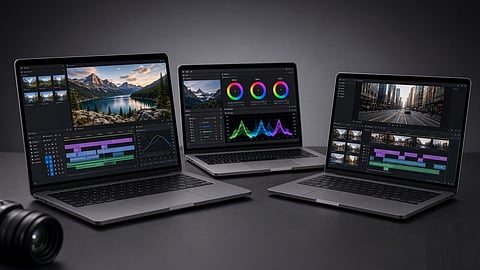

Lenovo LOQ, HP Smartchoice Victus and MSI Thin A15 are worth considering for video editing under ₹1 lakh.
Photo Credit: AI-Generated

At ₹1 lakh, you can get a laptop that handles 1080p editing well and 4K editing with proxies, but be careful while selecting.
Lenovo LOQ, HP Smartchoice Victus and MSI Thin A15 offer different strengths, from colour-accurate displays and more RAM to a faster RTX 4050 GPU.
For longer editing sessions, pay attention to cooling, display quality and upgradeability, not just the processor and GPU.
LOQ is good for colour-focused work, Victus for heavier timelines and MSI Thin A15 for GPU-heavy editing and more storage.
Our Picks: Check Price, Availability and Specs at a Glance
₹1 lakh can get you a capable laptop for video editing, but this is still a price point where you need to choose your priorities carefully. A laptop that looks good on paper may not always be the better editing machine.
At this price, I would expect smooth 1080p editing and 4K editing with proxies or lighter timelines. At least 16GB of RAM, a fast SSD and, if the budget allows, a dedicated entry-level RTX GPU would be on my list. A capable integrated GPU can also handle lighter editing.
I often see users pick a thin laptop at this price, open Premiere Pro or DaVinci Resolve, add a few effects to a 4K timeline and then wonder why playback starts stuttering and the fans get loud. The processor may look good on paper, but if the cooling cannot handle sustained loads, performance can drop during longer editing sessions and exports.
The display is another area I would not ignore. A good Full HD or higher IPS panel is a reasonable starting point, while better colour coverage matters if colour accuracy is important for the work. Let us take a look at what to look for and which laptops are worth considering.
RAM: While 8GB might be enough to open Premiere Pro or DaVinci Resolve, it will quickly become a limitation once you start adding clips, effects and other apps. So, 16GB RAM should be the minimum. For 4K editing, 32GB is better, but it is difficult to find at this price. I would therefore look for 16GB with proxies. If the laptop allows a RAM upgrade, that is a plus. If the 16GB is soldered, there is no option to add more RAM later.
Processor: A current Ryzen 5 or Core i5 is enough for 1080p editing. If you are working with heavier projects, exports or multi-camera footage, a Ryzen 7 or Core i7 with an H or HS-series chip is a better option. I would be careful with thin laptops that use U-series processors. They can handle everyday tasks well, but sustained video editing is a different workload. For this use, I would prefer an H, HS or HX-series processor, especially in a laptop with better cooling.
Graphics: The GPU becomes more important when you use effects, colour grading and other GPU-heavy tools. DaVinci Resolve also relies more heavily on the GPU than Premiere Pro. At this price, I would look for an RTX 3050, RTX 4050 or RTX 4060-class GPU if a sale brings it under ₹1 lakh. 4GB of VRAM should be the minimum, while 6–8GB is preferable. A strong integrated GPU such as Radeon 780M can handle lighter 1080p editing, but a weak iGPU in a thin office laptop is not suitable for heavier editing.
Storage: 512GB NVMe SSD is the minimum I would buy. If a 1TB model is available for a little more, I would pick that instead. Video footage, project files and cache can quickly fill up 512GB. I would also avoid a laptop with an HDD as its main storage. An external SSD is a must for this kind of workload.
Display: A Full HD IPS display is the minimum I would look for. If colour accuracy matters, I would also check for 100% sRGB coverage. A cheap or dim panel can make it difficult to judge colours properly. OLED and 2.8K displays can look better, but at this price, I would prioritise a better GPU or processor over a higher-end display.
Cooling and Chassis: This is one specification that is easy to overlook. Video editing keeps the CPU and GPU under load for long periods, so cooling matters. A thicker 2kg laptop with proper ventilation is more likely to sustain performance than a 1.4kg slim laptop, which can throttle during longer editing sessions and exports. If I am buying mainly for video editing, I would prioritise better cooling over a thinner chassis.
Ports and Power: I would look for HDMI, more than one USB-C port and an SD card reader if you regularly transfer footage from a camera. The charger is also worth checking, but I would not make battery life a priority here. A laptop in this price range is unlikely to last all day on battery while editing or rendering.
I looked for laptops around the ₹1 lakh mark with at least 16GB RAM, an SSD, a capable processor and a dedicated GPU where possible. Display quality, cooling, upgradeability and storage were also important, especially for longer editing sessions.
The Lenovo LOQ 15IAX9 stood out for its 100% sRGB display and balanced hardware. The HP Smartchoice Victus offers 24GB RAM and a newer Core i5 processor, while the MSI Thin A15 brings an RTX 4050 and 1TB SSD under ₹1 lakh.

The Lenovo LOQ offers a dedicated RTX 3050 GPU and a 144Hz display for video editing and other demanding workloads.
Photo Credit: Amazon
Price: ₹98,990 on Amazon (as of September 2, 2026) | Rating: 4.2 out of 5 stars
Best for: 1080p editing and 4K editing with proxies.
Skip if: You need 32GB RAM out of the box, an OLED display for colour work or long battery life while rendering.
The Lenovo LOQ comes with an Intel Core i5-12450HX, RTX 3050 6GB GDDR6, 16GB DDR5 RAM and a 512GB SSD. It has a 15.6-inch Full HD IPS display with a 144Hz refresh rate, 100% sRGB coverage and 300 nits brightness. At 2.38kg, it is also one of the heavier laptops in this segment.
For video editing, the combination makes sense. You get a dedicated GPU that Premiere Pro and DaVinci Resolve can use, 6GB of VRAM, an HX-series processor and upgradeable RAM. I would expect it to handle 1080p editing well and 4K editing with proxies. The 12th-gen Core i5-12450HX has 8 cores and 12 threads, so heavier exports will take longer than they would on a newer Ryzen 7 or Core i7 with an RTX 4050. The 512GB SSD can also fill up quickly once you start storing footage and cache files.
In a Reddit discussion, a user with this configuration reported using DaVinci Resolve for medium colour grading and found the sRGB display good enough for editing. The user also said 16GB was enough for their mix of gaming and editing, but battery life was weak even during browsing, so they mostly keep it plugged in. They would buy it again, but would choose an RTX 4050 if the budget allowed. That is one owner's experience and should not be treated as a verdict on every LOQ configuration.
Pros and Cons
The HP Smartchoice Victus combines a Core i5 processor, RTX 3050 GPU and 24GB of RAM for demanding video editing workloads.
Photo Credit: Amazon
Price: ₹99,990 on Amazon (as of September 2, 2026) | Rating: 4 out of 5 stars
Best for: Heavier 1080p timelines when you want 24GB RAM without upgrading it.
Skip if: You need accurate colour grading on the laptop display or want an RTX 4050/4060.
The HP Smartchoice Victus comes with a 14th-gen Intel Core i5-14450HX, RTX 3050 6GB, 24GB DDR5 RAM and a 512GB SSD. It has a 15.6-inch Full HD IPS display with a 144Hz refresh rate, 300 nits brightness and 62.5% sRGB coverage. At 2.3kg, it is also on the heavier side.
This combination is suitable for 1080p editing and 4K editing with proxies. The RTX 3050 can be used by Premiere Pro and DaVinci Resolve, while the 24GB RAM is an advantage over the 16GB LOQ. The Core i5-14450HX is also newer than the LOQ's i5-12450HX, giving it more headroom for heavier timelines and exports. The 512GB SSD, however, can fill up quickly once you start storing footage and cache files.
The main compromise is the display. 62.5% sRGB coverage is much lower than the LOQ's 100% sRGB panel. It should be fine for cutting Full HD footage, but I would not use it for colour grading.
The battery is rated at 70Wh and comes with a 200W adapter, which is enough to support the laptop under load. However, it is not going to last a full editing day. For longer timelines and exports, plan to keep it plugged in.
Pros and Cons
The MSI Thin A15 pairs a Ryzen 7 processor with an RTX 4050 GPU and 1TB SSD for video editing.
Photo Credit: Flipkart
Price: ₹84,999 on Flipkart (as of September 2, 2026) | Rating: 4.2 out of 5 stars
Best for: GPU-heavy 1080p editing and light 4K editing when you want an RTX 4050 and 1TB SSD.
Skip if: You need to colour grade on the laptop display or want a thicker chassis for sustained workloads.
The MSI Thin A15 comes with an AMD Ryzen 7 7735HS, RTX 4050 6GB, 16GB DDR5 RAM and a 1TB SSD. It has a 15.6-inch Full HD IPS-level display with a 144Hz refresh rate and 45% NTSC coverage. At around 1.86kg, it is also lighter than the LOQ and Victus.
The RTX 4050 is the main reason to consider this laptop. It is a step up from the RTX 3050 in the LOQ and Victus for GPU-heavy effects and exports in Premiere Pro and DaVinci Resolve. The 6GB VRAM is the same as those two laptops, while the 1TB SSD gives you more room for footage and cache. The Ryzen 7 7735HS is also enough for 1080p editing and 4K editing with proxies.
The trade-off is the thin chassis. Long editing sessions and exports can put more pressure on the cooling than on the thicker LOQ or Victus.
The display is another compromise as 45% NTSC coverage is lower than the LOQ's 100% sRGB and the Victus' 62.5% sRGB. It is fine for cutting, but I would not use it for colour grading. The 16GB RAM is enough to start with, although the Victus comes with 24GB.
The MSI Thin A15 is generally priced on the higher side for this segment, so getting the RTX 4050 and 1TB SSD under ₹1 lakh makes this a good deal.
Pros and Cons
HP Smartchoice Victus: If you want more RAM and a newer HX-series chip under ₹1 lakh. You get 24GB RAM out of the box, which makes it a good option for heavier 1080p timelines. However, I would not use its 62.5% sRGB display for colour grading.
Lenovo LOQ: If the laptop display matters to you. Its 100% sRGB panel is the best of the three, while 16GB RAM is enough to start with and can be upgraded later. The older Core i5-12450HX means exports will be slower than on newer Ryzen 7/Core i7 laptops with an RTX 4050.
MSI Thin A15: If you want the RTX 4050 and 1TB SSD under ₹1 lakh. It is the better choice for GPU-heavy editing and storage, but the 45% NTSC display is not suitable for colour grading and the thin chassis is not ideal for sustained workloads. Keep it plugged in for longer exports.
Which laptop is best for video editing under ₹1 lakh?
The MSI Thin A15 is the best option if you prioritise GPU performance and storage, as it offers an RTX 4050 6GB GPU and 1TB SSD under ₹1 lakh. The Lenovo LOQ is a better choice if display quality matters, while the HP Smartchoice Victus is better if you want 24GB RAM.
Is 16GB RAM enough for video editing?
Yes, 16GB RAM is enough for 1080p video editing and lighter 4K projects, especially when using proxies. For heavier 4K timelines, effects and multitasking, 32GB RAM is preferable.
Is an RTX 3050 good enough for video editing?
Yes, an RTX 3050 with 6GB VRAM can handle 1080p editing and 4K editing with proxies. It can also help with GPU-accelerated effects in applications such as Premiere Pro and DaVinci Resolve. An RTX 4050 is a better choice if you regularly use GPU-heavy effects.
Can you edit 4K video on a laptop under ₹1 lakh?
Yes, but you may need to use proxies or lighter timelines. A laptop with 16GB RAM, a capable H/HS/HX-series processor and a dedicated GPU such as the RTX 3050 or RTX 4050 is better suited to 4K editing.
Is 100% sRGB important for video editing?
100% sRGB is useful when colour accuracy matters, as it provides better colour coverage than the narrower panels found on some budget laptops. However, for professional colour grading, a calibrated external monitor is still a better choice.
Which is better for video editing: RTX 3050 or RTX 4050?
The RTX 4050 is better for video editing, particularly for GPU-heavy effects and exports. In this list, the MSI Thin A15 offers the RTX 4050, while the Lenovo LOQ and HP Smartchoice Victus use RTX 3050 GPUs.
Before buying, check the live price and exact configuration on the product page, especially if you are considering the MSI Thin A15 or a listing with multiple RAM and GPU variants. Also consider your editing workload and storage needs, as regular 4K editing can benefit from more RAM and additional storage. If colour accuracy is important, plan for a calibrated external monitor rather than relying entirely on the laptop display.
Disclaimer: Prices, availability, ratings and specifications can change. Performance may also vary depending on the software, project files, settings and workload. These recommendations are based on the listed configurations and are intended as a practical buying guide.
At marvelof.com, we spotlight the latest trends and products to keep you informed and inspired. Our coverage is editorial, not an endorsement to purchase. If you choose to shop through links in this article, whether on Amazon, Flipkart, or Myntra, marvelof.com may earn a small commission at no extra cost to you.





