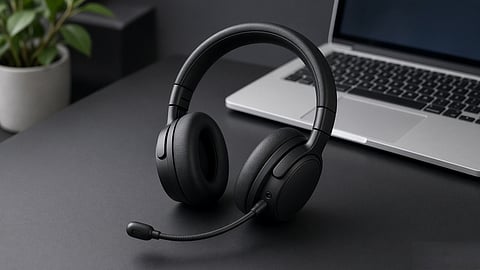

The image shows a laptop headset designed for calls, gaming and music.
Photo Credit: AI-Generated

A laptop headset under ₹5,000 can work well for calls, gaming or music, but the right choice depends on the workload.
Soundcore Q20i, HyperX Cloud Stinger 2 Core and Sony WH-CH520 cover three different use cases, from noisy-room calls to gaming and music.
Connection and microphone matter more than features such as RGB, 7.1 surround or Hi-Res Audio. ANC, comfort.
Our Picks: Check Price, Availability and Specs at a Glance
If I were buying a laptop headset under ₹5,000, I would look for one that works well with a laptop for calls, classes and gaming, rather than expecting studio-level audio or a podcast-quality mic.
What's worth noting is that the spec sheet can be misleading at this price. RGB, "7.1 surround," ANC and a 50mm driver do not tell me much about how well the headset will actually work. I would first check the connection. A 3.5mm combo jack works with most Windows laptops, while USB makes sense if the laptop does not have a headphone jack or the jack has noise issues.
Then comes the mic. I would prefer a boom mic with a mute option over a small inline mic. For the earcups, I would look for a closed-back design so less game audio and room noise reaches the mic.
Drivers, impedance and wireless connectivity come after these basics. A 3.5mm headset around 32 ohms should work with a laptop's headphone jack. With USB, the audio hardware is handled through the USB connection. For wireless gaming, I would prefer 2.4GHz. Bluetooth is fine for calls and music, but I would not pick it for competitive shooters.
1. Connection and Plug Types
Most Windows laptops have a 3.5mm combo jack for both headphones and the microphone. A headset with a standard CTIA 4-pole connector should work directly, while some 3.5mm headsets come with a splitter in the box. If the laptop does not have a headphone jack, or the jack is noisy or damaged, I would go with USB-A or USB-C. Just make sure the USB-C port supports data and audio, not just charging.
2. Microphone Quality and Controls
For calls and gaming, I would prefer a boom mic that sits close to my mouth. It generally does a better job of picking up my voice than a small inline mic or a pinhole mic on the earcup. A flip-to-mute boom or a physical mute switch is also useful. I would rather mute the headset by touch than search for the mute button in Teams or Zoom.
3. Noise Cancellation (ANC vs Passive Isolation)
ANC can help when you are using a headset in a noisy room or while travelling. At under ₹5,000, though, I would not make it the main reason to buy a headset. A good closed-back headset can already block some background noise and reduce sound leakage. I would also not choose a headset just because it has a "Hi-Res Audio" badge. At this price, the basic headset design and mic matter more to me.
4. Earcup Style and Acoustic Design
I would look for closed-back earcups for laptop use because they reduce sound leakage and help keep the mic feed cleaner. Open-back headphones can have a wider soundstage, but they also let more outside noise in and sound out. The fit matters too. A full over-ear cup that surrounds the ear is generally more comfortable for long sessions than an on-ear design such as the Sony WH-CH520.
5. Wired vs Wireless
A wired headset is still the simplest option under ₹5,000. There is no battery to charge and no wireless connection to manage. If I want wireless for gaming, I would look for 2.4GHz USB dongle connectivity because it generally offers lower latency than Bluetooth. Bluetooth is fine for calls, music and videos, but I would not make it my first choice for competitive gaming.
6. Comfort, Weight and Fit
For a headset I might wear for hours, comfort matters more than RGB lighting. I would check the clamping force, ear pad material and overall weight. A lightweight 150g on-ear headset and a 280g over-ear headset can feel very different after two hours. Physical controls also matter. I prefer volume wheels and mute buttons that I can find easily without looking.
Soundcore Q20i by Anker

The Soundcore Q20i is a Bluetooth over-ear headset with hybrid ANC for calls and work in noisy surroundings.
Photo Credit: Amazon
Price: ₹4,999 (as of September 3, 2026) on Amazon | Rating: 4.1 out of 5 stars based on 72,817 ratings
Best for: Noisy rooms where ANC matters more than mic quality.
Skip if: You need a boom mic or want a headset mainly for gaming.
The Soundcore Q20i is the one I would look at if you work in a noisy room. It is a Bluetooth over-ear headset with hybrid ANC, so noise cancellation is the main reason to consider it.
It has two internal and two external mics for ANC, with Soundcore claiming up to 90% reduction in steady background noise. You get ANC, Normal and Transparency modes through the soundcore app. I would treat the 90% figure as the brand's claim, not a number we have tested ourselves.
The Q20i uses 40mm drivers and has BassUp, EQ controls and presets through the app. Hi-Res Audio works over the AUX connection, so I would not read that as a reason to expect better Bluetooth audio.
You get Bluetooth 5.0, multipoint and a 3.5mm AUX connection. Multipoint is useful if you switch between a laptop and phone. Battery life is rated at 40 hours with ANC on and 60 hours with ANC off, while Soundcore claims around 4 hours of playback from a 5-minute charge.
The mic uses a single microphone rather than a boom, which is suitable for regular calls and meetings. It is not the same setup as a dedicated office headset, but it works well for the type of calls this headset is aimed at.
I would use it with a laptop over Bluetooth for calls and AUX when I want a wired connection. I would not pick it mainly for gaming because of Bluetooth latency.
HyperX Cloud Stinger
The HyperX Cloud Stinger 2 Core is a wired gaming headset with a boom microphone for gaming and voice chat.
Photo Credit: Amazon
Price: ₹2,799 on Amazon (as of September 3, 2026) | Rating: 4 out of 5 stars based on 4,630 ratings
Best for: Wired gaming and chat on a laptop with a combo jack.
Skip if: You need wireless, ANC, or a headset mainly for music.
The Cloud Stinger is the one I would look at for gaming on a Windows laptop with a 3.5mm jack. It is a wired, closed-back over-ear headset with a boom mic that mutes when you flip it up. There is no battery, dongle or ANC.
It has 50mm directional drivers, memory-foam ear cushions and steel sliders. The volume control is on the earcup. With an impedance of about 30 ohms, it should work with a laptop's headphone jack. It weighs around 275g and has an official frequency range of 18Hz–23kHz. The cable uses a 3.5mm connection, and a splitter is included for laptops with separate headphone and mic jacks. The earcups swivel about 90 degrees, while the boom is fixed.
I would describe the sound as gaming-focused. It is good for footsteps, game audio and chat, rather than a neutral sound profile for music. The boom mic is also useful for gaming calls.
The wired connection is another reason I would pick it for gaming. There is no wireless delay, battery or dongle to worry about. At this price, finding a 2.4GHz wireless headset with a good boom mic can be difficult. I would consider Bluetooth models such as the Q20i and CH520 more for calls and music.
Sony WH-CH520
The Sony WH-CH520 is a lightweight on-ear Bluetooth headset designed for music and occasional calls.
Photo Credit: Amazon
Price: ₹3,929 on Amazon (as of September 3, 2026) | Rating: 4.2 out of 5 stars based on 31,167 ratings
Best for: Music and light Bluetooth calls.
Skip if: You need ANC, a boom mic or a sealed over-ear cup.
The Sony CH520 is the one I would look at for listening to music on a laptop or phone. It is an on-ear Bluetooth headset, so the earcups sit on the ears rather than around them. That keeps it light, but also means there is less passive isolation. There is no ANC.
Sony rates the battery at up to 50 hours, with USB-C charging, quick charging and multipoint. You also get EQ and DSEE controls through the Headphones Connect app. At around 147g, it is easy to wear for long periods. It supports SBC and AAC codecs. Amazon lists the impedance at around 12 ohms for this SKU, but this is a Bluetooth-first headset.
Calls use a built-in mic rather than a boom. Volume, playback and call controls are handled through physical buttons on the earcup. There is also no 3.5mm connection, so you cannot switch to a wired connection when the battery runs out.
I would pick it for music because it is light, has long battery life and gives me some control over the sound through the app. I would not pick it for gaming because of Bluetooth latency. For noisy WFH calls, I would also go with the Q20i because it has hybrid ANC.
We looked at how each headset works with a laptop, focusing on connection, microphone quality, comfort, sound, battery life and noise cancellation. We also considered user ratings and reviews to see how these headsets are rated by buyers and what they say about everyday use. The final picks are based on how each model fits its intended use, whether that is WFH calls, gaming or music, rather than just the features listed on the box.
Which is the best laptop headset under ₹5,000 in India?
The best choice depends on how you use it. The Soundcore Q20i suits noisy-room calls, the HyperX Cloud Stinger 2 Core is better for wired gaming, and the Sony WH-CH520 is a better fit for music and occasional calls.
Which headset is best for gaming on a laptop under ₹5,000?
The HyperX Cloud Stinger 2 Core is the gaming pick in this list. Its wired 3.5mm connection avoids wireless latency and it has a boom microphone for voice chat.
Is ANC important in a laptop headset under ₹5,000?
ANC is useful in noisy surroundings, but it should not be the only factor when choosing a headset. A good closed-back design can also provide passive noise isolation.
Should I buy a wired or wireless headset for my laptop?
A wired headset is a simple choice for gaming because it does not need charging or rely on a wireless connection. Wireless headsets are more convenient for calls, music and everyday use.
What type of microphone is best for laptop calls and gaming?
A boom microphone is generally the more practical choice for calls and gaming because it can sit close to your mouth. A headset with a physical mute control also makes it easier to mute quickly.
Is a 3.5mm headset compatible with a laptop?
A 3.5mm headset should work with a laptop that has a compatible combo audio jack. If the laptop has separate headphone and microphone ports, you may need a splitter.
Start by matching the headset to how you use your laptop. Check the connection, microphone, comfort and battery life before comparing prices. If you are buying online, also check the latest user ratings and reviews and make sure the listing is for the exact model you want.
Disclaimer: Prices, availability and user ratings may change. Specifications and features can also vary by model or listing, so check the latest product details on Amazon before buying.
At marvelof.com, we spotlight the latest trends and products to keep you informed and inspired. Our coverage is editorial, not an endorsement to purchase. If you choose to shop through links in this article, whether on Amazon, Flipkart, or Myntra, marvelof.com may earn a small commission at no extra cost to you.





