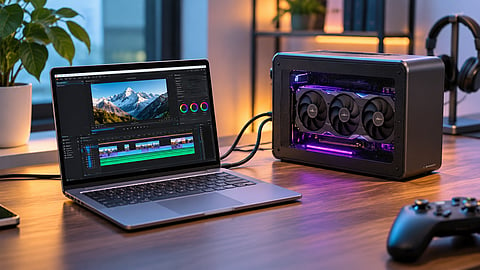

An external GPU connected to a thin-and-light laptop for graphics-intensive workloads.
Photo Credit: AI-Generated

An eGPU allows a compatible thin-and-light laptop to use a desktop graphics card for gaming and demanding creative workloads.
Thunderbolt, USB4 and OCuLink differ in bandwidth, compatibility and convenience, affecting graphics performance.
Enclosure, graphics card and power supply costs should be compared with those of a gaming laptop or desktop before investing.
Thin-and-light laptops are designed around portability, battery life and everyday productivity. They handle office work, browsing and general multitasking comfortably, but their graphics capabilities can become a limitation when running demanding games or creative applications.
An external GPU (eGPU) offers a way to address this without replacing the laptop. It connects a desktop graphics card to a compatible laptop through an external enclosure or dock, allowing the system to use more powerful graphics hardware when connected to a desk setup.
However, an eGPU is not as straightforward as adding a graphics card to a desktop PC. Connection bandwidth, laptop compatibility, additional hardware costs and performance limitations all affect whether the investment makes sense. Here is what to consider before choosing one.
An eGPU is worth considering when a laptop handles everyday tasks well but struggles with graphics-intensive workloads. It can provide additional graphics performance without requiring you to replace an otherwise capable machine.
Some workloads that could benefit include:
Video editing: A more powerful GPU can help with supported editing, effects and rendering workloads, depending on the software.
3D modelling and rendering: Applications that use GPU acceleration can benefit from additional graphics processing power.
Gaming: An eGPU can make demanding games more playable, particularly when paired with an external monitor.
Local AI workloads: Some applications that use GPU acceleration for local AI processing can benefit from a compatible desktop graphics card.
Reusing an existing graphics card: If you already own a compatible desktop GPU, an eGPU setup could extend its usefulness without requiring a separate desktop PC.
The main advantage is flexibility. You can continue using a lightweight laptop while accessing more graphics performance at your desk. However, this arrangement is most useful when the laptop spends a significant amount of time connected to an external setup.
The connection between a laptop and an external graphics card has a direct bearing on compatibility and performance. Not every USB-C port supports an eGPU, even if it supports high-speed data transfer.
Advertised connection speeds should not be confused with the bandwidth available to the graphics card. The actual performance also depends on the laptop's implementation, the enclosure or dock, the GPU and the workload.
OCuLink can be an attractive option where a laptop supports it, but it is not a universal alternative to Thunderbolt. Some setups use an M.2 PCIe connection instead, which may require opening the laptop and sacrificing an internal expansion slot. OCuLink connections are also generally not designed for hot-plugging, so the system may need to be powered off before connecting or disconnecting the dock.
A desktop graphics card normally connects to the motherboard through a PCIe x16 slot. An eGPU, on the other hand, has to communicate with the laptop through a comparatively restricted external connection.
This can reduce performance, particularly when a game or application frequently transfers data between the processor and graphics card. The extent of the difference depends on the GPU, connection, game, resolution and laptop configuration.
The performance gap can also change depending on how you use the display. When you play games on the laptop's internal screen, rendered frames have to travel back from the external graphics card to the laptop display. Connecting an external monitor directly to the eGPU allows the graphics card to send the output directly to the monitor, avoiding that additional transfer.
An external GPU setup involves more than purchasing an enclosure. You also need a compatible desktop graphics card and a suitable power supply, unless these are already available to you. The total cost can vary considerably depending on the graphics card and enclosure. A lower-cost dock may look attractive initially, but the final expense can approach that of a gaming laptop or desktop once you include the other
The enclosure and graphics card also occupy desk space and need adequate ventilation. Unlike a laptop's integrated graphics, an eGPU setup is not something you can conveniently carry around for graphics-intensive work.
If you already own a compatible desktop graphics card and power supply, the investment can be easier to justify. Buying all the components specifically for an eGPU makes comparing the total cost with a gaming laptop or desktop much more important.
An eGPU is not the right solution for every laptop owner. Its cost and additional hardware can outweigh the benefits in several situations.
Your laptop already has a capable dedicated GPU: An external graphics card may offer limited value if the existing GPU handles your workload comfortably.
You need graphics performance while travelling: An eGPU is an external desk-based setup, not a portable replacement for a laptop's dedicated graphics hardware.
Your laptop lacks a compatible connection: A standard USB-C port does not automatically support an eGPU. Without a supported interface, the setup may not work.
You want the best performance for your budget: A desktop PC or gaming laptop may offer better overall value once the enclosure, GPU and other components are included.
You want a simple plug-and-play upgrade: Compatibility checks, drivers, cables and power requirements can make an eGPU setup more complicated than using a conventional laptop.
Before investing in an external graphics card, verify the following details for your specific laptop and intended setup:
Laptop compatibility: Check the manufacturer's specifications to confirm whether the laptop supports eGPU functionality over Thunderbolt or USB4. Do not rely on the presence of a USB-C port alone.
Connection standard: Confirm whether the laptop and enclosure use the same supported interface. If considering OCuLink, verify that the laptop has a compatible connection.
Graphics card support: Check the enclosure's supported GPU dimensions, slot width, power requirements and compatibility with your chosen graphics card.
Power supply: Confirm whether the enclosure includes a power supply or requires a separate unit with sufficient capacity and the correct connectors.
Software and drivers: Check operating system and driver compatibility for the laptop, graphics card and applications you intend to use.
Total cost: Add the price of the enclosure, GPU, power supply and other necessary components before comparing the setup with a gaming laptop or desktop.
Display arrangement: If you plan to use an external monitor, check whether it can connect directly to the graphics card.
These checks can help avoid buying an enclosure or graphics card that is technically compatible with one part of the setup but unsuitable for the laptop as a whole.
An external GPU can be a useful upgrade if you already own a capable thin-and-light laptop, have access to a compatible connection and regularly need additional graphics performance at a desk. It is particularly worth considering if you also have a desktop graphics card that you can reuse.
However, the performance trade-offs and additional hardware costs make it a less straightforward purchase than upgrading a desktop PC. If you need graphics performance on the move, a laptop with a dedicated GPU is a more practical choice. If you are building an entirely new setup, a desktop may offer better performance for the money.
Ultimately, an eGPU makes the most sense when it extends the usefulness of a laptop you already own. Buying one solely to avoid purchasing a more suitable computer may not deliver the value you expect.connec
Can you connect an external GPU to a thin-and-light laptop?
Yes, provided the laptop supports eGPU functionality through a compatible Thunderbolt or USB4 connection, or has a supported OCuLink or PCIe connection.
Does an external GPU perform as well as a desktop GPU?
Not necessarily. An eGPU can experience performance losses because of the bandwidth limitations of its connection to the laptop. The difference depends on the hardware, workload and display arrangement.
Is Thunderbolt 5 better than Thunderbolt 4 for eGPUs?
Thunderbolt 5 offers up to 80Gbps of bandwidth compared with Thunderbolt 4's 40Gbps. However, the actual benefit depends on the laptop, enclosure and internal PCIe implementation.
Can a regular USB-C port support an external GPU?
No. USB-C describes the connector, not the underlying interface or its capabilities. The laptop must support a compatible eGPU connection.
Is an external GPU better than a gaming laptop?
An eGPU can make sense if you already own a compatible thin-and-light laptop and primarily need additional graphics performance at a desk. A gaming laptop is generally more practical if you need dedicated graphics while travelling.
Can you use an external GPU with a laptop's internal display?
Yes, but performance can be affected because rendered frames have to travel back to the laptop through the eGPU connection. Using an external monitor connected directly to the graphics card can reduce this overhead.
Disclaimer: eGPU performance and compatibility vary depending on the laptop, graphics card, enclosure, connection standard, drivers, workload and display configuration. Advertised connection bandwidth does not represent the bandwidth available exclusively to the GPU. Check manufacturer specifications and compatibility information before purchasing.
At marvelof.com, we spotlight the latest trends and products to keep you informed and inspired. Our coverage is editorial, not an endorsement to purchase. If you choose to shop through links in this article, whether on Amazon, Flipkart, or Myntra, marvelof.com may earn a small commission at no extra cost to you.


