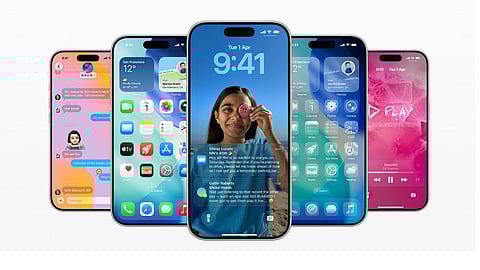


In a bid to enhance the user experience for iPhone users, tech giant Apple has rolled out the new iOS 26.3 update. While this update doesn’t seem to be a major one, it introduces some new features, such as Transfer to Android, Weather wallpaper, Notification Forwarding, and more, along with security updates. Here are some of the key features of the newly announced iOS 26.3.
1. Transfer to Android
The Transfer to Android feature allows iPhone users to transition to an Android phone using a new transition tool that lets users transfer photos, applications, messages, and other data to a nearby Android device, as per a report by 9To5Mac.
To use this feature, iPhone users need to go to Settings and then select General. From there, they can tap on Transfer or Reset iPhone, and then select Transfer to Android.
2. Weather Wallpaper
Initially, the Weather and Astronomy wallpaper gallery was combined, but with the new update, a new Weather wallpaper section has been introduced with a couple of pre-configured wallpaper layouts.
3. Notification Forwarding
As part of EU regulatory changes, the new update brings Notification Forwarding to third-party devices, which allows iPhone notifications to be received on non-Apple hardware, such as competing smartwatches. Previously, this functionality was limited to Apple devices like the Apple Watch.
Only one device can receive notifications at a time, meaning users must choose between an Apple Watch and a third-party device. Apple has also noted that forwarded notifications may include sensitive information and could be shared with third-party companies.
4. Proximity Pairing for Third-Party Devices
In the new iOS 26.3 update, another EU-mandated feature allows third-party devices to pair with iPhones and iPads using proximity-based pairing, similar to how AirPods connect. This is aimed at improving the initial setup experience for non-Apple accessories and puts them on a more level playing field in EU markets.
5. Security Updates
According to the report, the new iOS 26.3 update focuses heavily on bug fixes and security improvements, with more than 35 security fixes included in this update.
Users looking to update to iOS 26.3 can go to Settings, select General, and then tap on Software Update. The new update is available for iPhone 11 and later models that support iOS 26.
At marvelof.com, we spotlight the latest trends and products to keep you informed and inspired. Our coverage is editorial, not an endorsement to purchase. If you choose to shop through links in this article, whether on Amazon, Flipkart, or Myntra, marvelof.com may earn a small commission at no extra cost to you.